Tool discovery

What type of AI tool
are you looking for?

Search the active catalog with LambdaBase AI Search, or keep browsing the popularity-ordered directory below.

Submitted search queries and interaction metrics may be analyzed to improve result quality. Do not include personal or confidential information

Browse popular tools.

Screenshot of jaspertvdm/mcp-server-openai-bridge
jaspertvdm/mcp-server-openai-bridge
Developer Tools Open Source

mcp-server-openai-bridge is a Model Context Protocol (MCP) server that acts as a bridge to the OpenAI API, enabling MCP-compatible clients such as Claude Desktop to directly interact with OpenAI's language models like GPT-4, GPT-4o, and GPT-3.5. The tool is distributed as a Python package and can be installed via pip, or run in a Docker container. It requires an OpenAI API key to authenticate requests. Once configured, it seamlessly routes prompts from the MCP client to the specified OpenAI model and streams responses back. The server supports streaming, allowing real-time token-by-token output, which is particularly useful for interactive applications. Its configuration is minimal, requiring only the API key environment variable, making it easy to deploy in both development and production environments. The project is part of the HumoticaOS / SymbAIon ecosystem, indicating a broader ambition for AI integration. It is open source under the MIT license and maintained by Jasper van de Meent and Root AI. Despite its low current adoption (1 GitHub star), it provides a straightforward way to bring OpenAI's capabilities into the MCP universe, leveraging the protocol's structured context management for enhanced tool use and interaction. The server can be added to Claude Desktop by simply adding a configuration entry, or launched as a standalone process. Its support for multiple models allows users to choose the appropriate balance of cost, speed, and capability. As the MCP ecosystem grows, tools like this bridge are essential for interoperability between different AI services and MCP-enabled hosts.

Solves

Developers and users of MCP-enabled applications such as Claude Desktop need an easy and standardized way to access OpenAI’s powerful language models without building custom integrations. mcp-server-openai-bridge solves this by providing a ready-to-use MCP server that translates MCP requests into OpenAI API calls, handling authentication, model selection, and streaming, thereby eliminating the complexity of direct API integration and allowing focus on application logic.

Screenshot of jaspertvdm/mcp-server-ollama-bridge
jaspertvdm/mcp-server-ollama-bridge
Developer Tools Open Source

MCP Server - Bridge to local Ollama LLM is an open-source server that implements the Model Context Protocol (MCP), enabling MCP clients such as Claude Desktop to connect to and utilize locally hosted Large Language Models via Ollama. It acts as a transparent bridge, forwarding requests from MCP clients to an Ollama instance running on the same machine or network, thereby allowing users to leverage powerful open-source models like Llama, Mistral, and Qwen without any reliance on cloud-based AI services. The server supports all models available through Ollama, streams responses efficiently, and requires only minimal configuration through a single environment variable pointing to the Ollama host. Installation is straightforward via pip or Docker, making it accessible for a wide range of development environments. As part of the HumoticaOS/SymbAIon ecosystem, it aims to promote local-first AI integration. The tool is particularly useful for scenarios requiring data privacy, offline operation, or cost savings by eliminating API usage fees.

Solves

Developers and AI enthusiasts often want to integrate Large Language Models into MCP-compatible applications but face privacy concerns, internet dependency, and recurring costs when using cloud APIs. This tool solves that problem by providing a self-hosted bridge that connects any MCP client to an Ollama-run local LLM. Users can run powerful open-source models on their own hardware, ensuring that all data stays within their control, work offline, and avoid per-token billing. It simplifies the process of using local models within the growing ecosystem of MCP-enabled tools.

Screenshot of jean
jean
AI Agents Open Source

Jean is an open-source desktop and web application designed to orchestrate multiple AI coding agents across projects and git worktrees. Built with Tauri for a native desktop experience and a web-based interface, Jean allows developers to manage and coordinate popular coding agents like Claude, Codex, OpenCode, and Cursor simultaneously. The tool leverages git worktrees to enable parallel development on different branches, allowing each agent to work on isolated tasks without conflicts. Users can assign coding tasks, such as feature implementations, bug fixes, or code reviews, to different agents, and monitor their progress in real-time through a unified dashboard. Jean integrates with various AI backends, communicating with agents via their respective APIs or CLI interfaces. It maintains a local database of projects and tasks, providing history and context for ongoing work. The application aims to enhance developer productivity by reducing the overhead of switching between multiple terminal sessions and agent contexts. With its intuitive UI, developers can launch agents, inspect their outputs, and manage git operations seamlessly. Jean is actively developed with a vibrant community, evidenced by over 1,000 GitHub stars and frequent updates.

Solves

Software developers often need to juggle multiple AI coding assistants for different tasks—such as writing features, fixing bugs, and reviewing code—across various projects. This leads to fragmented workflows, context switching, and inefficiency. Jean solves this by providing a single orchestrator to manage multiple coding agents in parallel, using git worktrees to isolate work and a unified interface to streamline the development process.

Screenshot of isaac-levine/forage
isaac-levine/forage
Developer Tools Open Source

Forage is a self-improving MCP (Model Context Protocol) server designed to give AI agents dynamic access to an ever-growing toolkit without manual intervention. It functions as a meta-tool that automatically searches official MCP registries, Smithery, and npm to discover new MCP servers, evaluates their usefulness, and installs them as proxied subprocesses. This proxy pattern allows newly installed tools to become instantly available to the AI agent via standard MCP list_changed notifications, eliminating the need to restart the agent or reconfigure connections. By persistently storing tool knowledge in a local manifest file (~/.forage/manifest.json), forage ensures that discovered tools and their capabilities are remembered across sessions, enabling a cumulative learning effect where the agent becomes more capable over time. Forage provides a comprehensive set of MCP tools for agents: forage_search to query registries, forage_evaluate to assess a tool's suitability for a given task, forage_install to add a tool and start its server, forage_learn to extract and store usage knowledge from documentation or interaction, forage_status to inspect installed tools, and forage_uninstall to cleanly remove them. A companion CLI (forage init, forage search, forage list) allows developers to manually manage the tool ecosystem outside of an agent context. The system is built to be lightweight, leveraging existing MCP infrastructure and npm for distribution, making it easy to integrate into any MCP-compatible AI agent. Under the hood, forage runs as a Node.js process that acts as both an MCP server and a manager for child MCP servers. When a tool is installed, forage spawns the server in a subprocess and proxies communication between the agent and that server. This architecture keeps the core foray server stable while allowing tools to be added or removed on the fly. The self-improving aspect comes from the forage_learn tool, which can crawl startup scripts, READMEs, or other documentation to automatically build tool descriptions and usage examples, reducing the burden on tool developers to write perfect prompts. Forage is designed for the evolving MCP ecosystem where hundreds of community-built servers offer capabilities ranging from database access to creative APIs. By automating discovery, installation, and knowledge persistence, forage turns an MCP host from a static toolset into a self-adapting power tool that continuously expands its own capabilities in response to user needs and available resources.

Solves

AI agents using the Model Context Protocol (MCP) are limited by the tools manually configured at startup. Discovering new tools requires a developer to search registries, install packages, update agent configurations, and restart the agent, creating significant friction and downtime. Forage solves this by acting as an automated tool discovery and installation layer: it scans multiple registries, evaluates tools for relevance, installs them as live subprocesses, and persists learned tool knowledge, allowing agents to dynamically acquire new capabilities without restarts or manual intervention.

Screenshot of juspay/neurolink
juspay/neurolink
Developer Tools Open Source

Juspay/neurolink is an open-source edge-first AI infrastructure platform designed to make enterprise AI universally accessible. It unifies access to over 12 AI providers and 100+ models, providing a consistent interface for deploying, orchestrating, and managing AI workflows. The platform is delivered as a GitHub Action, seamlessly integrating into CI/CD pipelines to enable automated AI testing, evaluation, and deployment. With support for multi-agent orchestration, human-in-the-loop (HITL) workflows, and built-in guardrails, neurolink empowers developers to build reliable, production-grade AI applications with reduced vendor lock-in. Neurolink operates at the edge, meaning it can run on local environments (home, Apple, Windows, Linux) as well as in the cloud, making it suitable for privacy-sensitive or low-latency use cases. The platform abstracts away the complexities of working with multiple AI APIs, providing a unified SDK and configuration layer. Through multi-agent orchestration, teams can design complex agent interactions, chaining together different models and tools to solve sophisticated tasks. HITL workflows allow human approval steps to be inserted into automated processes, ensuring safety and compliance. The platform comes with comprehensive documentation, examples, and a demo application, as evidenced by the repository's structure. It includes tools for guardrails (security and safety middleware), memory-bank capabilities (likely for stateful agent memory), and integration with Claude.ai skills. With 791 commits and an active release cycle (latest version 9.68.3), neurolink is under active development, aiming to be a one-stop solution for enterprise AI infrastructure.

Solves

Many organizations face challenges in adopting AI due to vendor fragmentation, complex orchestration, lack of safety guardrails, and difficulty integrating AI into existing development workflows. Juspay/neurolink solves these by providing a unified, edge-first platform that abstracts away the differences between AI providers, simplifies multi-agent orchestration, embeds human-in-the-loop checks, and integrates directly into CI/CD pipelines via a GitHub Action. This makes enterprise AI development more accessible, secure, and efficient.

Screenshot of IO-Aerospace-software-community/mcp-server
IO-Aerospace-software-community/mcp-server
Developer Tools Open Source

IO Aerospace MCP Server is a .NET-based server implementation of the Model Context Protocol (MCP) tailored for aerospace and astrodynamics applications. It exposes a suite of tools as MCP resources, enabling AI assistants to perform precise calculations and data lookups in orbital mechanics, ephemeris, time conversions, and related utilities. The server can run locally or in cloud environments, supporting STDIO transport for seamless integration with MCP-compatible clients. Key features include ephemeris generation for celestial bodies, orbital element conversions between different coordinate frames and representations, DSS (Deep Space Network) scheduling tools, time system conversions (e.g., UTC, TAI, TDB), and a collection of unit and mathematical utilities essential for aerospace engineering. The .NET implementation ensures cross-platform compatibility and high performance. Developed under the IO Aerospace software community, the project aims to bring spaceflight dynamics capabilities into the AI workflow, allowing developers to build intelligent assistants that can answer complex astrodynamics queries, validate mission planning parameters, and automate routine calculation tasks. The open-source nature encourages community contributions and transparency.

Solves

Aerospace engineers, researchers, and satellite operators frequently require ad-hoc access to astrodynamics computations—such as converting orbital elements, querying spacecraft ephemeris, or transforming time systems—within their development or analysis environments. Performing these tasks manually is error-prone and disrupts workflow. IO Aerospace MCP Server solves this by providing a standardized, locally runnable server that wraps these calculations into MCP tools, allowing AI assistants and other applications to execute them accurately and contextually without leaving the assistant interface.

Screenshot of Integrately
Integrately
Developer Tools Unknown

Integrately is an integration platform as a service (iPaaS) that enables users to connect and automate workflows across over 1500 cloud applications without writing code. It distinguishes itself through a massive library of 20 million+ pre-built automations, called ‘Ready Automations’, which cover common use cases across popular apps like Salesforce, Google Sheets, HubSpot, Trello, and many more. The platform’s core feature is SmartConnect, a one-click activation that requires users to simply select an automation template and turn it on, eliminating the need for manual configuration. This emphasis on speed and accessibility makes it possible for non-technical users to set up integrations in minutes, while still offering advanced capabilities such as multi-step workflows, conditional logic, data formatting, and scheduling for more complex scenarios. Integrately positions itself as a cost-effective alternative to other integration tools, advertising pricing that is 3x–10x less expensive. It offers a generous free tier with limited tasks, paid plans with increased limits, and includes live chat support across all plans. The platform is trusted by enterprises like Nvidia, Walmart, and Salesforce, and is designed to serve teams of all sizes, from solopreneurs to large organizations. The user interface is web-based and requires no installation. New users can sign up via email or Google. Once signed in, they can browse a guide of available integrations by app, select predefined workflows, or create custom automations using a visual builder. Integrately handles the underlying authentication, data mapping, and reliability concerns, allowing users to focus on their business processes rather than technical integration challenges. In addition to the automation library, Integrately provides tools for webhooks and API access for more advanced customization. While it is not open source and does not offer a self-hosted option, its cloud-native architecture ensures high availability and regular updates. The service continuously expands its supported app list and automation templates, leveraging user feedback and popular demand to keep the library relevant.

Solves

Many businesses rely on a diverse set of cloud applications—such as CRMs, email marketing tools, project management software, and support systems—that operate in silos. Manually transferring data between these apps is time-consuming, error-prone, and creates operational bottlenecks. Integrately solves this problem by providing a no-code integration platform with a vast, ready-to-use automation library. Users can instantly synchronize data and trigger actions across 1500+ apps, enabling seamless workflows without any technical expertise or development resources.

Screenshot of Hugging Face
Hugging Face
AI Agents Unknown

Hugging Face is a collaborative AI platform that hosts a wide range of machine learning models, datasets, and applications. The specific tool at the provided URL is a Hugging Face Space named AgentVerse, which appears to be dedicated to AI agents. It likely provides an interactive environment for building, sharing, and experimenting with autonomous AI agents. The Space may include pre-built agent frameworks, visual interfaces, and integration with large language models. As part of the Hugging Face ecosystem, it benefits from community contributions, version control for models, and easy deployment. Users can likely customize agent behaviors, connect to external APIs, and leverage state-of-the-art models available on the Hub. The space is curated by the awesome-ai-agents initiative, indicating a focus on showcasing and advancing agent technologies. It probably supports multi-agent interactions, tool use, and reasoning tasks. The platform may offer both no-code and programmatic interfaces, making it accessible to a range of users from beginners to experts.

Solves

Developers and researchers often struggle to prototype, test, and deploy AI agents due to the complexity of integrating language models, tools, and memory. Hugging Face AgentVerse solves this by providing a ready-to-use, web-based playground where users can experiment with agent architectures, share their creations, and collaborate. It abstracts away infrastructure challenges, enabling quick iteration on agent behaviors without setting up local environments, thereby accelerating development in the AI agent space.

Screenshot of ImageToImage AI
ImageToImage AI
Image to Image Unknown

ImageToImage AI is an online platform that leverages artificial intelligence to transform ordinary photographs into stylized artworks, creative visuals, and new image variations. Users upload an image and select from a variety of AI-driven style presets—such as oil painting, watercolor, anime, sketch, or cyberpunk—and the platform generates a transformed version within seconds. The service is accessible through a web browser, requiring no software installation, and is designed to be user-friendly for both casual creators and professionals. Under the hood, the platform likely uses deep learning models based on neural style transfer or diffusion-based image-to-image translation. These models analyze the content of the input image and re-render it in the chosen artistic style while preserving key structural elements. Advanced features may include the ability to adjust style intensity, generate multiple variations, and upscale low-resolution images. The output images are typically high-resolution and suitable for sharing on social media, printing, or further editing. ImageToImage AI aims to democratize creative image manipulation, enabling anyone to produce professional-looking visuals without expertise in graphic design or photography. The platform can be used for personal projects, social media content, marketing materials, or artistic exploration. It often includes a library of preset styles and sometimes the option to upload custom style images for more personalized results. While specific technical details about the underlying models are not publicly disclosed, similar platforms commonly employ convolutional neural networks or generative adversarial networks fine-tuned for style transfer. The service may offer both free and premium subscription plans, with higher tiers providing faster processing, higher resolution outputs, and commercial usage licenses.

Solves

Content creators, designers, and casual users often lack the time, skill, or expensive software needed to manually transform photos into artistic styles or creative visuals. ImageToImage AI solves this by providing an instant, AI-powered transformation service that requires only an uploaded image and a style selection, eliminating the need for complex editing tools or artistic expertise.

Screenshot of IMG2Excel
IMG2Excel
Excel AI Unknown

IMG2Excel is an AI-powered tool that converts images containing tabular data into structured Excel spreadsheets. Users simply upload an image—such as a screenshot, photo, or scanned document—and the service uses advanced computer vision and optical character recognition (OCR) models to detect tables, extract cell values, and preserve the original layout. The result is a clean, editable .xlsx file that can be downloaded instantly. The tool is designed for speed and accuracy, handling various table styles, including those with merged cells, borders, and text formatting. It supports common image formats like PNG, JPG, and PDF, and offers batch processing for converting multiple files at once. The AI algorithms are trained on diverse datasets to handle real-world scenarios like skewed photos, low-resolution scans, and tables with complex headers. IMG2Excel is available as a web application with a simple drag-and-drop interface, making it accessible to non-technical users. For developers and enterprises, an API is provided to integrate table extraction into automated workflows, such as invoice processing, financial data aggregation, or document digitization pipelines. The service operates on a cloud infrastructure, ensuring scalability and data security.

Solves

Extracting structured data from images of tables is a common, time-consuming task for professionals in finance, research, and administration. Manually retyping numbers from scanned invoices, screenshots of web tables, or photos of whiteboard diagrams is error-prone and inefficient. IMG2Excel automates this process with AI, reducing hours of work to seconds while improving accuracy.

Screenshot of Hugging Face Space
Hugging Face Space
AI Agents Unknown

The Hugging Face Space 'demogpt' is an interactive web application hosted on Hugging Face Spaces, designed to showcase an AI agent. As part of the awesome-ai-agents curated list, this Space likely demonstrates autonomous capabilities such as task automation, content generation, or natural language interaction. It utilizes the Hugging Face Docker infrastructure, enabling users to interface with the agent through a browser without local setup. However, detailed functionality is not specified in the available content; it can be inferred as a demo leveraging large language models to execute agentic workflows. The Space may be subject to inactivity cold starts, requiring manual restart, which is typical for free-tier Spaces.

Solves

This Space provides a hands-on, frictionless demonstration of an AI agent, allowing users to explore and evaluate agentic AI capabilities without complex installations. It helps developers and enthusiasts understand how autonomous agents can be integrated into real-world applications, serving as an educational and prototyping tool.

Screenshot of Ignitio
Ignitio
Prompt Engineering Free

Ignitio is an AI-powered platform designed to help users build structured technical roadmaps, engage in interactive coding exercises, and receive AI-driven mentoring. The platform leverages prompt engineering techniques to generate personalized learning paths, code snippets, and real-time feedback, making it a valuable resource for both beginners and experienced developers. By integrating conversational AI, Ignitio can answer technical questions, suggest resources, and guide users through complex topics, simulating a one-on-one mentoring experience. Its free pricing model aims to democratize access to high-quality tech education and career development tools. The platform's focus on structured roadmaps helps users navigate the vast landscape of programming languages, frameworks, and tools, breaking down skill acquisition into manageable steps. Interactive coding environments allow users to practice and apply concepts directly within the browser, while AI mentoring provides instant clarifications and encourages problem-solving.

Solves

Many aspiring developers, data scientists, and tech enthusiasts struggle with unstructured learning, lack of guidance, and limited access to personalized mentorship. Ignitio addresses this by offering AI-generated, customized roadmaps that outline clear learning trajectories, interactive coding exercises for hands-on practice, and an AI mentor that provides immediate support, thereby reducing the overwhelm and isolation often experienced in self-directed tech education.

Screenshot of hamflx/imagen3-mcp
hamflx/imagen3-mcp
Developer Tools Open Source

Imagen3-MCP is an open-source Model Context Protocol (MCP) server that enables AI assistants to generate high-quality images using Google's Imagen 3.0 model via the Gemini API. Written in Rust, it provides a lightweight and efficient way to connect MCP-compatible clients (such as Claude Desktop or other LLM applications) to Imagen's advanced text-to-image generation capabilities. The server translates natural language prompts into image generation requests, supporting fine-grained control over output through parameters like aspect ratio, allowing users to create visuals in various formats and styles including photography, artistic, and photorealistic. Built around the MCP specification, the tool exposes image generation as a standard tool callable by AI models. It leverages the Gemini API to access Imagen 3.0, known for its high-resolution and detailed output. The server can be configured via environment variables, offering flexibility in deployment: users can set the listening address and port, as well as a separate image resource server address for serving generated images. Error handling and request tracing are baked in to improve reliability and monitoring. Developers can deploy this server locally or in a cloud environment to augment AI assistants with image creation abilities. The project includes detailed documentation and examples for setup. With support for aspect ratios and continuous integration via GitHub Actions, it is designed for extensibility and production use. The codebase is modern, using Rust's concurrency and safety features, and is packaged for easy building with Cargo. Overall, Imagen3-MCP bridges the gap between conversational AI and image synthesis, allowing LLMs to produce visual content directly within chat interfaces. It's a specialized tool for those who want Google's latest image generation technology integrated into their MCP workflows, and it serves as a starting point for further customization.

Solves

AI assistants often lack native image generation capabilities, limiting their utility in creative workflows. Imagen3-MCP solves this by providing an MCP server that connects any compatible AI client to Google's Imagen 3.0 image generation model. This allows developers to quickly add high-quality text-to-image features to chatbots, virtual assistants, or autonomous agents, without building custom integrations from scratch. It abstracts the API complexity and makes Imagen accessible via the Model Context Protocol standard.

Screenshot of here
here
AI Agents Unknown

This tool is an AI agent likely designed to operate on Twitter/X. While specific details are unavailable from the scraped content, it presumably offers automated interactions such as generating tweets, responding to direct messages, or analyzing social media activity. Being categorized under AI Agents, it might leverage large language models to understand and simulate human-like conversations. The tool's exact functionality, integration methods, and capabilities remain unclear, but it appears to be a service that can be accessed via a Twitter profile, possibly as a bot.

Solves

Users who spend significant time managing social media, especially Twitter, can automate repetitive tasks like replying to common queries, posting scheduled content, or monitoring brand mentions. This tool aims to reduce manual effort and enable more efficient social media engagement through AI-powered automation.

Screenshot of HiDream AI
HiDream AI
AI Image Generator Free

HiDream AI is an innovative online text-to-image generation platform that leverages advanced artificial intelligence models to convert natural language descriptions into highly detailed and accurate images. The platform is designed with a focus on prompt fidelity, ensuring that the generated visuals closely match the specifics of the user's input, from intricate object placements to nuanced styles and moods. It employs state-of-the-art diffusion techniques, combined with robust language understanding, to interpret prompts comprehensively and produce sharp, aesthetically pleasing imagery across a wide range of styles, including photorealistic, digital art, anime, and illustrative. Users can interact with HiDream AI through a clean, intuitive web interface where they simply type a descriptive prompt and optionally adjust settings such as aspect ratio, output quality, and negative prompts to exclude unwanted elements. The generation process is optimized for speed, often delivering results in seconds, making it suitable for rapid prototyping and creative exploration. HiDream AI also supports batch generation, allowing users to create multiple variations from a single prompt to quickly iterate and refine visual concepts. The platform stands out by continuously updating its underlying model to improve image quality, diversity, and adherence to complex prompts. It may include features like image upscaling for higher resolution outputs, community sharing galleries, and the ability to save and revisit past generations. As a free service, it democratizes access to powerful generative AI, enabling non-technical users to produce professional-grade visuals without any artistic training. Overall, HiDream AI caters to a broad spectrum of creative needs, from marketing collateral and social media content to conceptual art and personalized projects, all while maintaining a user-friendly experience and exceptional output clarity.

Solves

Many individuals and businesses struggle to quickly create high-quality visual content without expensive design software, professional skills, or significant time investment. HiDream AI solves this by providing a free, text-based image generator that faithfully translates detailed written prompts into sharp, ready-to-use images, dramatically reducing the barrier to visual content creation.

Screenshot of herdr
herdr
AI Agents Open Source

herdr is an open-source terminal multiplexer designed specifically for users who work with command-line AI coding agents. Unlike traditional multiplexers such as tmux or screen, herdr is agent-aware, meaning it can detect the status of running agent processes, provide visual indicators for task completion, and manage persistent workspaces that survive disconnects. It offers a familiar interface with tabs and panes, allowing developers to organize multiple agent sessions and terminal activities side by side. Built with modern terminal workflows in mind, herdr enables developers to run several coding agents concurrently, monitor their progress through status bars, and instantly know when a task has finished or encountered an error. Its persistent workspace feature ensures that all session layouts, running processes, and agent states are saved automatically, so users can reconnect to their environment exactly as they left it, even after a terminal restart or network interruption. herdr integrates seamlessly with popular CLI-based AI coding tools, making it an essential utility for developers who rely on agents for code generation, debugging, refactoring, or other automated tasks. By centralizing agent management in one multiplexer, it reduces context switching and improves productivity, especially in long-running or batch agent operations.

Solves

Developers using terminal-based AI coding agents often juggle multiple sessions, each running in separate terminal windows or tabs. Losing track of agent states, manually reopening workspaces after disconnects, and switching between contexts reduces efficiency. herdr solves this by providing a multiplexer that understands agent lifecycles: it detects statuses, preserves session layouts and workspaces persistently, and consolidates all agent interactions into a single, organized interface.

Screenshot of Grok AI
Grok AI
Leading AI Assistants Freemium

Grok is a conversational AI and multimodal chatbot developed by xAI, designed to enhance user productivity and creativity. It provides fast, real-time responses by leveraging a large language model and integration with the X platform, enabling it to access up-to-date information. The chatbot supports text-based conversations and image generation through its 'Imagine' feature, allowing users to create visual content directly within the chat interface. Grok offers a freemium model with a web-based interface and a dedicated CLI tool called 'Grok Build' for developers. The CLI, available in beta for premium subscribers, allows seamless interaction with the AI from terminal environments, making it suitable for coding assistance, automation, and rapid prototyping. Users can install it easily via curl or PowerShell commands. Key features include natural language understanding, multimodal input/output, code generation and debugging, real-time news and insights from X, and a focus on speed and efficiency. Grok is positioned as a direct competitor to other AI assistants, emphasizing its unique access to X data and a more conversational, less restrictive tone. The platform is continuously evolving with early access features for SuperGrok and X Premium+ subscribers, indicating a commitment to expanding its capabilities and developer ecosystem.

Solves

Grok addresses the need for a fast, reliable, and multimodal AI assistant that can provide real-time information, creative content generation, and coding support. It helps users who require up-to-date data from the X platform, developers seeking a CLI-based AI tool for integration into workflows, and general consumers wanting a versatile chatbot without heavy censorship.

Screenshot of Gamma
Gamma
Slide Decks Unknown

Gamma is an AI-powered content creation platform that enables users to generate beautiful presentations, documents, and webpages in seconds. Users start with a simple text prompt or an idea, and Gamma's AI engine creates a fully structured, visually appealing output with customizable cards and blocks. The tool leverages modern design principles, offering a gallery of templates and the ability to polish text, generate images, and restyle layouts with one click. Collaboration features allow real-time co-editing and sharing, and the final products can be exported as PDFs or shared via links. Gamma eliminates the need for manual slide design, making it ideal for those who lack design skills or time.

Solves

Many professionals and students struggle with creating engaging presentations due to limited design skills, lack of time, and tedious formatting tasks in traditional tools like PowerPoint. Gamma solves this by using AI to instantly generate polished slide decks from simple prompts, dramatically reducing the time and effort required to produce high-quality visual content.

Screenshot of genomoncology/biomcp
genomoncology/biomcp
Developer Tools Open Source

biomcp is an open-source Model Context Protocol (MCP) server that bridges large language models (LLMs) with authoritative biomedical data sources. It implements the MCP specification to provide tools that AI assistants can use to query PubMed, ClinicalTrials.gov, and MyVariant.info in real-time. By running as a local or self-hosted service, biomcp enables secure, low-latency access to biomedical literature, clinical trial registries, and genetic variant annotations without exposing sensitive queries to third-party cloud APIs. The server exposes a set of MCP tools: searching PubMed by keywords or MeSH terms to retrieve citations and abstracts; querying ClinicalTrials.gov for study details based on conditions, interventions, or location; and looking up genetic variants by HGVS notation or dbSNP ID to get functional annotations from MyVariant.info. These tools are designed to be composable, allowing LLMs to chain searches across databases—for example, finding literature on a gene and then checking its known variant pathogenicity. biomcp is built in Python and leverages modern package management (uv) to simplify installation and deployment. It can be run locally via pip, Docker, or integrated into machine learning pipelines. The repository includes extensive documentation, example configurations for popular MCP clients like Claude Desktop and continue.dev, and benchmarks against the BioASQ dataset to validate retrieval accuracy. The project maintains canonical Open Access article fetching to ensure full-text access where permitted. With over 500 GitHub stars and active development (1,300+ commits), biomcp is a community-driven effort to make biomedical knowledge accessible to AI systems. It is designed for extensibility—new data sources or custom tools can be added via a plugin-like architecture—making it suitable for both individual researchers and enterprise-grade biomedical AI applications.

Solves

Biomedical researchers, clinicians, and AI developers face a fragmented landscape of databases with incompatible APIs and rate limits. LLMs often generate plausible but incorrect biomedical claims because they lack direct access to up-to-date, evidence-based data. biomcp solves this by providing a unified MCP interface that wraps PubMed, ClinicalTrials.gov, and MyVariant.info into a set of well-documented tools. This allows AI assistants to retrieve factual, real-time information about diseases, drugs, trials, and genetic variants, reducing hallucinations and enabling evidence-backed reasoning in biomedical applications.

Screenshot of Genspark
Genspark
Developer Tools Unknown

Genspark is an AI-powered workspace that integrates multiple productivity applications into a single environment. It offers AI-driven tools for creating slides, documents, spreadsheets, meeting notes, images, music, and chat, all accessible within a unified interface. The platform extends the agentic vision by combining a built-in browser, workspace apps, and unique phone-call automation, aiming to reduce friction for non-technical users. A standout feature is 'Skills' — reusable, customizable AI tools that can be built from scratch, shared with teams, or selected from a community library, enabling users to automate specific tasks without coding. Genspark 4.0 positions itself as an all-in-one solution for collaborative, AI-enhanced work, blending generative AI with practical business workflows.

Solves

Non-technical business professionals often struggle with juggling multiple disjointed tools for document creation, data analysis, communication, and task automation. Genspark solves this by consolidating these capabilities into one AI-native workspace, where agents can autonomously handle complex sequences — like drafting a document, pulling data from the web, and triggering phone notifications — all within a single, user-friendly interface. This reduces context-switching, lowers the barrier to AI adoption, and streamlines everyday productivity tasks.

Screenshot of Github Repository
Github Repository
AI Agents Open Source

BondAI is an open-source framework designed to simplify the development of AI agents that can autonomously perform tasks, engage in conversations, and utilize external tools. It provides a modular architecture with built-in support for large language models (LLMs) like OpenAI's GPT, enabling developers to quickly create agents with memory, retrieval, and tool-calling capabilities. The framework includes components such as an embedding model for semantic search, a response query tool for structured data interaction, and a flexible agent loop that manages context and decision-making. With a Python package installable via pip, a Docker container for self-hosted deployment, and a command-line interface (CLI), BondAI aims to lower the barrier to building sophisticated, LLM-powered applications. Version 0.3.0 introduced documentation updates, bug fixes, and examples, indicating active development. The project is structured as a Python monorepo with a core library (bondai), scripts for common tasks, integration tests, and a website for documentation. It targets developers who want to experiment with AI agents without building everything from scratch, offering pre-built abstractions for memory management, tool integration, and prompt engineering. While still in early stages, BondAI’s extensible design allows users to add custom tools and models, making it a viable starting point for prototypes and research projects.

Solves

Developers and researchers building AI agents face significant overhead in implementing memory, tool integration, context management, and model interaction from scratch. BondAI solves this by providing a reusable, modular framework that abstracts these concerns, allowing users to focus on agent behavior rather than boilerplate infrastructure. It addresses the need for a lightweight, self-hosted alternative to heavier frameworks, enabling rapid prototyping and iteration with LLM-based agents.

Screenshot of Gemini CLI
Gemini CLI
Developer Tools Unknown

Gemini CLI is an open-source command-line tool from Google that brings the power of Gemini 3 AI directly into the developer's terminal. It acts as an agentic AI coder, allowing users to query, navigate, and edit large codebases using natural language. Developers can generate entire applications from images or PDF mockups, automate complex workflows, and handle repetitive engineering tasks without leaving the terminal environment. Built with extensibility in mind, it supports the Model Context Protocol (MCP), enabling seamless integration with external tools and services. The tool is installed via npm and is free for unpaid and Google One users, though it is transitioning to Antigravity CLI in a future update. At its core, Gemini CLI excels at repository automation: it can refactor code across multiple files, generate boilerplate, run tests, and debug issues by analyzing error logs. Its understanding of context within a project allows it to make intelligent suggestions and modifications. The AI-driven agent can follow complex instructions, such as converting a visual design into a functional web app, saving developers hours of manual effort. It is designed to be a productivity booster for teams and individuals who spend significant time in the terminal. Gemini CLI is highly accessible, with a single npm install command and multiple installation options documented on its website. It aims to reduce context switching by bringing AI assistance directly to the command line, complementing existing IDEs and workflows. As development continues, the transition to Antigravity CLI indicates ongoing refinement and integration with Google's broader AI ecosystem.

Solves

Developers often lose time on routine coding tasks, boilerplate creation, codebase navigation, and debugging. Gemini CLI addresses this by providing an intelligent AI agent that resides in the terminal, capable of understanding project contexts, automating repetitive engineering tasks, and even turning design files into working code. This reduces manual toil and lets developers focus on higher-level problem-solving.

Screenshot of Fact0
Fact0
AI Agent Unknown

Fact0 is a tamper-evident audit layer designed specifically for AI agents operating in enterprise environments. It provides a cryptographically secure and immutable log of all actions, decisions, and context accessed by AI agents, enabling organizations to meet stringent security audit requirements. By integrating with existing agent frameworks, Fact0 captures detailed execution traces including inputs, outputs, tool calls, and internal reasoning chains, and seals them with hashing and digital signatures. This ensures that any attempt to alter or forge the audit trail is immediately detectable. The platform offers a centralized dashboard for security teams to review agent activities, verify log integrity, and generate compliance reports. Fact0 supports flexible deployment options, including on-premises and cloud, to align with enterprise data governance policies. At its core, Fact0 uses a combination of cryptographic techniques such as SHA-256 hashing, Merkle trees, and public-key infrastructure to create a verifiable chain of custody for every agent interaction. Each event recorded in the audit log is timestamped and linked to previous events, forming an append-only ledger that can be independently verified. This approach provides non-repudiation, ensuring that neither the agent nor the operator can deny actions that took place. Fact0 also integrates with enterprise identity and access management (IAM) systems to track which user or system initiated each agent task, adding an additional layer of accountability. Beyond logging, Fact0 includes policy enforcement features that allow security administrators to define rules about permitted agent behaviors. If an agent attempts an action outside predefined bounds, the system can block the action and flag it for review. This real-time policy engine helps prevent data exfiltration, unauthorized access, and other security breaches. The audit data can be exported to SIEM systems like Splunk or Elastic for correlation with other security events, making it a seamless part of the enterprise security stack. Fact0 is built to address the unique challenges of autonomous AI agents, which often chain multiple LLM calls and external tool invocations in unpredictable ways. Traditional logging solutions fall short because they cannot capture the nuanced decision-making process of an agent or provide cryptographic guarantees. Fact0’s agent-aware instrumentation automatically traces multi-step workflows, ensuring that every critical step is captured without requiring developers to manually add logging code. The platform is agent-agnostic, supporting popular frameworks like LangChain, AutoGPT, and custom agent implementations via a REST API or SDK. By providing this comprehensive auditability, Fact0 helps organizations unlock the productivity gains of AI agents while maintaining the trust of security stakeholders.

Solves

Enterprises are rapidly adopting AI agents to automate complex tasks, but security teams often block their deployment due to concerns about auditability, data leakage, and unauthorized actions. Traditional logging mechanisms are insufficient because they can be tampered with and lack cryptographic verification of agent decisions. Fact0 solves this by adding a tamper-evident audit layer that records every agent action in an immutable, verifiable log. Security reviewers can independently validate that agents operated within policy after the fact, and real-time policy checks prevent violations before they occur. This reduces the time-to-approval for agent deployments and enables secure operation in regulated industries.

Screenshot of Founder's Twitter
Founder's Twitter
AI Agents Unknown

Founder's Twitter is a publicly accessible Twitter account maintained by Yohei Nakajima, a prominent venture capitalist and AI agent developer. The account functions as a real-time feed of his personal projects, thoughts, and curated content related to artificial intelligence agents. With over 27,000 posts and a following of more than 124,000, it has become a go-to source for the AI agent community. Yohei is known for creating babyagi, one of the first open-source autonomous agents, and he actively shares his journey of building new AI agent projects like Pippin and PixelBeastsNFT. The account serves as a build-in-public log, where he documents experiments, shares code snippets, discusses challenges, and highlights interesting findings from the broader AI agent landscape. Key features include immediate updates on emerging tools and startups, direct engagement with followers through replies and retweets, and a window into the day-to-day workings of a VC and founder deeply embedded in the AI agent ecosystem. Followers can expect a mix of technical deep dives, strategic insights, and community spotlights, making it a dynamic resource for anyone interested in autonomous AI systems.

Solves

AI enthusiasts, developers, and researchers often struggle to keep up with the rapid pace of innovation in AI agents due to fragmented sources. Founder's Twitter solves this by providing a centralized, credible stream of first-hand information from a key practitioner and community builder, reducing the effort needed to stay updated and offering direct insights into real-world AI agent development.

Screenshot of Free Al Photo Editor | YuzuTime Al
Free Al Photo Editor | YuzuTime Al
AI Photo Editor Free

Free Al Photo Editor by YuzuTime AI is a web-based, prompt-driven photo editing tool that requires no sign-up and delivers watermark-free results. Users simply upload an image and describe the desired edit using natural language, such as 'remove the background', 'enhance colors', or 'add a sunset'. The AI processes the request in seconds and provides a downloadable image. The service is completely free, making it accessible to casual users, content creators, and small businesses. The interface is minimalistic, focusing on ease of use and speed. Under the hood, the tool leverages advanced generative AI models to interpret text prompts and apply modifications to images. It supports common editing tasks like object removal, background replacement, style transfer, and image enhancement. Because the AI handles the complex processing, users do not need any technical or design skills. The output is clean and professional-looking, with no visible watermarks, allowing immediate use across social media, e-commerce, or personal projects. One of the standout features is the absence of mandatory registration or login. Visitors can start editing immediately, which lowers the barrier to entry and appeals to privacy-conscious users. The platform is designed for quick, one-off edits rather than extensive batch processing or collaboration, positioning it as a handy utility for everyday image tweaks. The website is mobile-friendly, so edits can be done on the go from any device with a browser. Though feature-rich for a free tool, it may lack the advanced layer-based editing, fine-tuning controls, or high-resolution output capabilities of premium desktop software. However, for the vast majority of common photo editing needs — touching up portraits, creating social media graphics, fixing product photos — it provides a fast, hassle-free solution. YuzuTime AI continues to refine its models, aiming to expand the range of supported prompts and improve output fidelity.

Solves

Casual users, social media managers, and small business owners often struggle with complex and costly photo editing software. They need quick, simple edits but lack the time or expertise to use professional tools like Photoshop. Free Al Photo Editor by YuzuTime AI eliminates these barriers by offering a zero-cost, no-sign-up, prompt-based editor that delivers clean, watermark-free images instantly. Anyone can upload a photo, describe the desired change in plain English, and get a polished result without any learning curve.

Screenshot of Founder's X
Founder's X
AI Agents Unknown

Founder's X is an AI agent platform created by João Moura, founder of crewAI. While specific details about the tool are sparse, it is curated by the awesome-ai-agents list, indicating its relevance in the AI agent ecosystem. The platform likely focuses on enabling developers and businesses to build, deploy, and manage autonomous AI agents that can perform complex tasks, automate workflows, and integrate with various services. Given Moura's background in open source and AI orchestration, Founder's X may incorporate multi-agent collaboration, task delegation, and natural language processing capabilities. It is probably designed to simplify the creation of agent-based applications without requiring deep machine learning expertise.

Solves

Many organizations struggle to automate complex, multi-step processes that require decision-making and adaptability. Traditional automation tools are rigid, while building custom AI agents from scratch is time-consuming and requires significant expertise. Founder's X aims to solve this by providing a platform that allows developers and businesses to quickly create AI agents that can handle intricate tasks, reducing development time and enabling intelligent automation at scale.

Screenshot of Figma
Figma
Interface Design Unknown

Figma is a cloud-based design and prototyping platform that enables teams to create, collaborate, and iterate on user interfaces in real time. It combines vector editing, prototyping, and developer handoff tools within a single web-based application, eliminating the need for separate software installations. The platform supports design systems with reusable components, shared libraries, and version control, ensuring consistency across projects. In 2025, Figma expanded into a comprehensive product-building operating system, integrating AI-powered features like Figma Make for generating designs and Sites for transforming static designs into interactive, live websites. The new seat model provides access to all core tools—Figma Design, FigJam whiteboarding, and Dev Mode—without per-tool pricing. Figma's real-time multiplayer collaboration allows multiple team members to edit simultaneously, with live cursors, commenting, and asynchronous feedback. It supports interactive prototyping with advanced transitions, smart animate, and conditional logic, enabling designers to simulate user flows without code. The Developer Mode streamlines handoff by providing developers with auto-generated code snippets, measurements, and asset exports. With FigJam, teams can ideate and brainstorm using digital whiteboards, integrating sticky notes, diagrams, and voting sessions. The platform also offers a robust plugin ecosystem, allowing users to extend functionality with tools for accessibility, content generation, and 3D design. AI enhancements in Figma accelerate the design process: Figma Make allows users to generate layouts and components from natural language descriptions, while iterative tweaking refines outcomes. Figma Sites lets designers convert mockups into responsive, functional websites with hosting included, blurring the line between design and development. Enterprise-grade features include SSO, device management, and private plugins, making it suitable for large organizations. The free tier provides enough capability for individuals and small teams to start, with scalable pricing for professionals and enterprises.

Solves

Product teams often struggle with fragmented workflows, where designers use separate tools for wireframing, prototyping, and developer handoff, leading to inconsistency and communication gaps. Figma solves this by providing a unified, browser-based platform where everyone can work together in real time. It eliminates versioning issues, simplifies feedback loops, and accelerates the journey from idea to production, while the new AI and site-building capabilities further reduce the dependency on engineering for early-stage prototypes and marketing sites.

Screenshot of FastMoro AI
FastMoro AI
AI Video Generator Unknown

FastMoro AI is an all-in-one web-based creative studio that leverages multiple generative AI models to turn text prompts, images, and style references into high-quality videos and images. It offers a unified interface for both video generation and image creation/editing, removing the need to switch between different tools. For video, users can generate cinematic clips from text descriptions (Text to Video), animate still images (Image to Video), or apply style transfer using reference images to maintain aesthetic consistency (Reference to Video). Supported video models include Grok Imagine Video 1.5, Gemini Omni, Veo 3.1, Seedance 2.0, and others, with options for aspect ratio, resolution up to 4K, and credit-based generation. For images, the platform provides text-to-image generation and AI-powered photo editing, such as background swapping, object removal, quality enhancement, and style changes, all through simple natural language instructions. The workflow is streamlined into three steps: describing or uploading the creative vision, adjusting settings like model choice and output parameters, and generating the final asset. The tool is designed to make professional-grade visual content creation accessible to anyone, regardless of technical or artistic expertise.

Solves

Content creators, marketers, small businesses, and hobbyists often struggle with producing high-quality videos and images due to lack of skills, expensive software, or time constraints. FastMoro AI solves this by providing an intuitive, browser-based platform that automates video and image generation using advanced AI models. Users can generate professional-looking visual content from simple text prompts or existing assets, significantly lowering the barrier to entry for cinematic video production and sophisticated image editing.

Screenshot of Drawtoon
Drawtoon
AI Manga Generator Free

Drawtoon is a free online AI studio that enables users to create, publish, and read manga and manhwa comics. It leverages artificial intelligence to simplify the comic creation process, offering powerful drawing tools with zero setup. Users can start from scratch or use AI to generate characters, scenes, and dialogue, making professional-looking manga accessible to everyone. The platform hosts a community where creators can share their works chapter by chapter, and readers can discover new content through trending and top ranking sections. Key features include an intuitive manga board for arranging panels, AI-assisted illustration that can produce various art styles, chapter management for serialized publishing, and social features that allow users to follow creators and interact with toons. Drawtoon aims to democratize manga creation by removing technical barriers, allowing anyone to tell visual stories.

Solves

Traditional manga creation requires advanced artistic skills, expensive software, and significant time investment, which prevents writers and casual creators from producing polished comics. Drawtoon solves this by providing AI that generates manga art and arranges panels, enabling users to concentrate on storytelling rather than drawing. It lowers the entry barrier and offers a built-in audience for sharing, turning ideas into finished comics with minimal effort.

Screenshot of Dorothy
Dorothy
AI Agents Open Source

Dorothy is an open-source desktop application, built with Electron, designed to orchestrate multiple AI coding agents simultaneously. It integrates popular CLI-based AI assistants such as Claude Code, OpenAI Codex, and Google Gemini, allowing developers to run them side-by-side from a single interface. The app features a visual Kanban board for managing coding tasks, assigning work to different agents, and tracking progress. Users can create automations to chain commands, such as having one agent generate code and another review it, enabling seamless multi-agent workflows. Additionally, Dorothy supports remote control through MCP (Model Context Protocol) servers, enabling integrations with Telegram, X (Twitter), social data sources, and vault secret management, making it a comprehensive hub for AI-assisted development.

Solves

Developers using multiple AI CLI tools like Claude Code, Codex, and Gemini often struggle with fragmentation, having to switch between terminals and manually manage separate sessions. This leads to inefficiency, loss of context, and an inability to leverage multiple agents together effectively. Dorothy solves this by providing a unified desktop environment where these agents can be orchestrated concurrently, with built-in task management and automation, reducing context-switching and enabling complex, multi-step coding workflows that would otherwise require manual coordination.

Screenshot of Evermore Bliss
Evermore Bliss
AI Creative Writing Unknown

Evermore Bliss is an AI-powered wedding speech generator designed to help users craft heartfelt, personal toasts for wedding events. The platform likely offers a simple web interface where users input key details about the couple, the occasion (e.g., best man, maid of honor, or groom speech), and personal anecdotes or style preferences. Using natural language generation models, it then produces a polished, emotionally resonant speech draft. Users may have options to adjust the tone—such as romantic, humorous, or sentimental—and refine the output through editing tools. The service aims to reduce the stress of speech-writing by providing inspiration and a structured template while maintaining a personal touch.

Solves

Many people—especially those who are not professional writers—struggle to compose a memorable wedding speech. They may lack time, confidence, or the ability to articulate their feelings appropriately for the occasion. Evermore Bliss solves this by generating a customized, loving toast based on a few user inputs, ensuring a meaningful and well-structured speech that captures the unique relationship and sentiment, without the agony of staring at a blank page.

Screenshot of Creating a (mostly) Autonomous HR Assistant with ChatGPT and LangChain’s Agents and Tools

This project demonstrates how to build a largely autonomous HR assistant using OpenAI's ChatGPT and LangChain's Agents and Tools. It leverages LangChain's ReAct (reasoning and acting) pattern to enable a language model to decompose complex employee queries into multi-step plans. The assistant integrates two primary tools: a 'HR Policy' tool that retrieves relevant sections from a company policy document stored in a Chroma vector database, and an 'Email' tool that uses the Gmail API to send notifications. When an employee asks a question (e.g., about vacation policy), the agent reasons through the request, searches the policy, formulates an answer, and optionally composes an email to HR or the employee for confirmation. The system runs locally as a Python script, requiring an OpenAI API key, a PDF policy document, and Gmail API credentials. The article emphasizes the agent's chain-of-thought reasoning, which not only improves answer accuracy but also reduces hallucinations. Human validation is built into the email-sending step, making the assistant only 'mostly' autonomous.

Solves

HR departments frequently handle repetitive employee inquiries about company policies, benefits, and administrative procedures. Manually responding to these queries is time-consuming and prone to inconsistency. This tool automates the retrieval of accurate policy information using a vectorized knowledge base and can even take follow-up actions like sending confirmation emails. It streamlines HR operations, reduces response times, and frees HR staff to focus on more strategic work.

Screenshot of Creators's Twitter
Creators's Twitter
AI Agents Unknown

Creators's Twitter is a curated Twitter account (@pgalko) that aggregates and shares content from prominent AI agent creators and developers. It serves as a centralized feed for updates, insights, and announcements from key figures in the AI agents community. The account is maintained as part of the awesome-ai-agents open-source project, which is a comprehensive list of AI agent resources and tools. By following this account, users can stay informed about the latest developments without manually tracking dozens of individual creators. The feed includes links to new tools, research papers, blog posts, and discussions, providing a valuable resource for anyone interested in the field of AI agents. It is particularly useful for discovering emerging projects and trends.

Solves

AI developers, researchers, and enthusiasts face the challenge of keeping up with a fast-moving and diverse ecosystem of AI agent projects and creators. Manually following numerous accounts and monitoring various platforms is time-consuming and often results in missing important updates. Creators's Twitter solves this by offering a single, curated Twitter feed that consolidates the most relevant and high-quality content from leading AI agent creators, saving users time and ensuring they stay informed.

Screenshot of Daisy
Daisy
AI Note Taker Free

Daisy is a local-first, open-source meeting recorder and dictation application designed specifically for macOS. It enables users to capture audio from system output or microphone input during meetings, and transcribes speech into text entirely on the device without relying on cloud services. By leveraging on-device speech recognition models, Daisy ensures that sensitive conversations remain private and secure. The app is built with a focus on simplicity, offering a clean interface for starting recordings, viewing real-time or post-meeting transcripts, and organizing notes. As an open-source project, it encourages community contributions and transparency in how data is processed. Key features likely include automatic punctuation, speaker diarization, and the ability to export transcripts in various formats. Daisy aims to provide an accessible, no-cost alternative to subscription-based meeting assistants, prioritizing user control over their data.

Solves

Professionals, students, and anyone who participates in virtual or in-person meetings often need accurate records of conversations but are concerned about privacy and the cost of cloud-based transcription services. Daisy solves this by offering a completely local, open-source solution that transcribes audio on the Mac itself, ensuring that no data leaves the user's machine. This addresses the need for a trustworthy, free, and effective meeting recorder that doesn't compromise on privacy.

Screenshot of DeepL Translate
DeepL Translate
Translation Freemium

DeepL Translate is an AI-powered translation service that leverages a specialized large language model (LLM) trained on proprietary data and refined by thousands of language experts. It provides high-quality, nuanced translations across 31 languages, aiming for accuracy and natural phrasing that surpasses other machine translation tools. The service is accessible via a web interface, desktop and mobile apps, browser extensions, and an API, enabling seamless integration into various workflows. Key features include the ability to translate text instantly, as well as whole documents while preserving original formatting. For enterprise users, DeepL offers advanced customization through Glossaries, which allow organizations to define specific translations for terms and phrases, ensuring consistency across content. The 'Rules' feature enables setting stylistic and terminological preferences, and 'Clarify' helps disambiguate words with multiple meanings by prompting the user for context. The service also supports alternative translations and includes a built-in dictionary to explore usage examples. DeepL's translation engine is built on neural network technology that specializes in capturing linguistic subtleties, idioms, and formal/informal tones. It is designed to handle professional, casual, and technical texts with high fidelity. The platform also integrates with popular productivity tools like Google Workspace, Microsoft Word, PowerPoint, Outlook, and web browsers, allowing users to translate directly within their daily applications. The free tier provides basic translation capabilities with some limitations, while paid plans unlock unlimited text translation, document translation, and team collaboration features. For developers, the DeepL API allows building translation capabilities into custom applications, websites, and services, making it a versatile solution for both individuals and large organizations.

Solves

Businesses and individuals face language barriers when communicating across countries. Manual translation is slow, expensive, and inconsistent. Machine translation often produces stilted or inaccurate results, especially for nuanced content. DeepL solves this by providing fast, accurate, and context-aware translations that rival human quality. It helps businesses enter global markets, support multilingual customers, and localize content efficiently while reducing translation costs by up to 90% compared to traditional methods.

Screenshot of DALL-E 2
DALL-E 2
Art Generation Unknown

DALL·E 2 is a generative AI system developed by OpenAI that creates realistic images and art from natural language descriptions. It uses a modified GLIDE model architecture, building on the original DALL·E, to produce high-resolution images (1024x1024) that are often indistinguishable from photographs or human-created art. The model can combine diverse concepts, attributes, and artistic styles, enabling the generation of novel scenes like 'an astronaut riding a horse in a photorealistic style' or 'a bowl of soup that looks like a monster'. DALL·E 2 understands complex relationships between objects and actions, and it has significantly improved caption matching and photorealism compared to its predecessor, with human evaluators preferring it 71.7% and 88.8% of the time, respectively. It was released initially as a research preview and later made widely available through an API, integration into ChatGPT, and a dedicated web interface at labs.openai.com. The system incorporates safety mitigations including filtering of training data to remove explicit content, rejection of harmful prompt categories, and monitoring to prevent misuse. DALL·E 2 has been used by artists, designers, and businesses to streamline creative workflows, prototype ideas, and generate marketing content.

Solves

Content creators, designers, and businesses often struggle to produce custom, high-quality visual content quickly and affordably. DALL·E 2 solves this by generating unique images from simple text descriptions, eliminating the need for manual illustration or photography. It enables rapid prototyping of concepts, creative exploration, and the production of tailored visuals for various applications, reducing time and cost barriers.

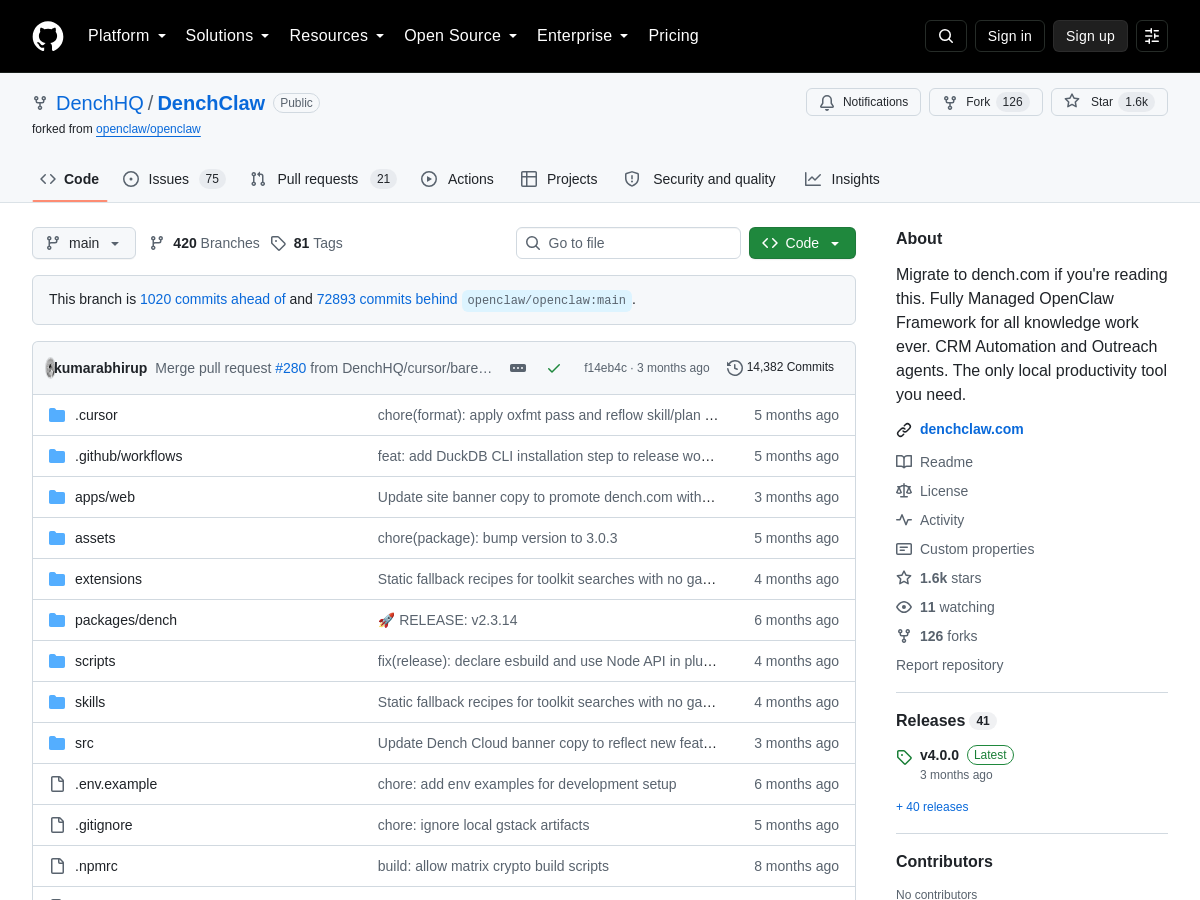
Screenshot of denchclaw
denchclaw
AI Agents Open Source

DenchClaw is a managed open-source fork of the OpenClaw framework, specifically tailored for CRM, sales automation, and outreach agents. It provides a comprehensive platform for building, deploying, and managing AI agents that automate customer relationship management tasks, sales processes, and personalized outreach campaigns. The framework includes a modular architecture with extensible skills, a web-based management UI, and integration capabilities with popular CRM systems. It enables teams to create agents that handle lead qualification, email sequencing, CRM data entry, and real-time chat interactions, all orchestrated through a centralized system. DenchClaw leverages the OpenClaw core for agent execution while adding managed services, predefined skills for sales and marketing, and a user-friendly interface to customize workflows without deep technical expertise. The project is actively maintained with a growing community, extensive documentation, and a rich set of extensions to adapt to various business needs.

Solves

Sales and marketing teams often struggle with manual, time-consuming processes such as lead follow-up, CRM updates, and personalized outreach at scale. DenchClaw automates these workflows using AI agents, reducing manual effort, improving response times, and enabling consistent engagement with prospects and customers. It addresses the need for an integrated, open-source solution that combines agent orchestration with CRM and sales automation, allowing businesses to streamline operations without being locked into proprietary SaaS tools.

Screenshot of CueCue
CueCue
AI Business Card Generator Unknown

CueCue is a no-code platform that allows users to create interactive digital business cards, link-in-bio pages, and event RSVP cards. Leveraging artificial intelligence, CueCue simplifies the design process by offering smart templates, auto-generated layouts, and content suggestions tailored to the user's profession or brand. The platform focuses on interactivity, enabling features such as clickable contact details, social media integrations, and dynamic animations. Users can customize their cards with branding, images, videos, and links, then share via a unique URL or QR code. The AI engine analyzes user input, such as name, title, and industry, to recommend color schemes, fonts, and layouts that align with best practices in design. It can also generate compelling taglines or bio text. The no-code editor provides drag-and-drop functionality, making it accessible to anyone without design or technical skills. In addition to static information, CueCue cards can include interactive elements like appointment booking, payment links, or feedback forms, turning a simple business card into a mini-website. CueCue serves as a versatile tool for professionals across various fields. Freelancers and consultants can use it as a dynamic portfolio link, while small businesses can create contact cards that showcase services and enable direct inquiries. The RSVP feature allows event organizers to design invitation cards that collect responses, integrate with calendars, and provide event details. The link-in-bio functionality consolidates multiple links for social media profiles, making it a centralized hub for personal branding. With analytics tracking, users can monitor card views, click-through rates, and engagement, helping to optimize their networking efforts. CueCue also supports team features for consistent branding across an organization. The cards are mobile-optimized, ensuring a seamless experience for recipients across devices. By combining AI-driven design, interactivity, and multi-purpose utility, CueCue positions itself as a next-generation digital identity platform.

Solves

Traditional paper business cards are static, easily lost, and limited in the information they can convey. Digital alternatives often require design skills or multiple tools. CueCue solves this by offering an all-in-one no-code platform where AI assists in creating interactive digital cards that serve as business cards, link-in-bio pages, and event RSVPs. This eliminates the need for printed cards, streamlines contact sharing, and provides a richer, trackable networking experience for professionals and businesses.

Screenshot of Premation
Premation
AI Animation Generator Unknown

Premation is a free, open-source desktop motion-graphics editor designed as an After Effects alternative. It combines a familiar layer-based timeline with After Effects-style keyboard shortcuts and a graph editor, allowing users to create complex animations with ease. The application is GPU-accelerated and runs the same rendering engine in both the viewport and the exporter, ensuring WYSIWYG output. It supports a wide range of formats including SVG, Lottie, MP4/H.264, WebM/VP9 with alpha, MOV/ProRes 4444, PNG sequences, GIFs, and WAV audio, making it a versatile tool for motion design and video production. The editor includes six major areas of functionality: animation, 2.5D/3D space, type, rigging, vector, and particles. Users can work with flat layers in real 3D space using the classic 3D model with Z position, X/Y rotation, one- and two-node cameras with depth of field, lights that cast shadows, and bevelled extrusion for shapes and text. The timeline supports trimming, markers, and RAM caching for smooth playback. It also includes 36 of After Effects' 38 blend modes and 154 built-in effects, providing a powerful compositing environment. Premation introduces an AI assistant that writes keyframes, not video, by calling the same 61 tools available in the UI. This means everything generated is a normal layer that can be edited, re-eased, or undone. Users can bring their own API key, avoiding credits or subscription costs. The project is in public beta 0.4 for macOS and Windows, with source code available on GitHub. It is designed for users who want full control, local rendering, and a motion-graphics tool they truly own.

Solves

Premation solves the problem of expensive, subscription-based motion-graphics software by providing a free, open-source desktop editor that runs entirely on the GPU. It gives designers and animators professional-grade tools such as After Effects shortcuts, a graph editor, and 2.5D/3D compositing, while ensuring output matches the viewport exactly through a unified rendering engine.

Screenshot of trisAino
trisAino
AI Trip Planner Unknown

trisAino is an AI-powered trip planner designed for international visitors to [ADDRESS] (China). It combines a day-by-day itinerary builder, practical on-the-ground guides, and human concierge support to reduce the friction of traveling in a country with different payment systems, transport apps, and local customs. The platform offers three modules: Planner, Guide, and Concierge, each addressing different parts of the travel experience. Users can start with a free Light tier, upgrade to Pro for $9.99, or purchase Premium at $10/day for comprehensive support. The service also features curated experiences such as healthcare coordination through United Family Healthcare and EV test drives in Shanghai, making it more than a standard itinerary tool. trisAino is positioned as a practical companion for travelers who want to arrive prepared and navigate China smoothly.

Solves

International travelers to China often struggle with practical logistics like payments, transport, eSIM setup, and emergency services, which can overshadow the excitement of the trip. trisAino solves this by providing structured itineraries, pre-departure guides, and access to human help when users are stuck, enabling travelers to focus on enjoying their journey.

Screenshot of Carve
Carve
AI Interior Design Unknown

Carve is an AI-powered render studio that converts sketches, CAD files, and other design inputs into photorealistic 3D visuals instantly. It leverages deep learning algorithms to understand room geometry, lighting, and materials, enabling users to generate high-quality renderings without the need for manual 3D modeling or rendering expertise. The platform supports a wide range of input formats, including hand-drawn sketches, floor plans, and digital CAD files, and allows users to customize materials, lighting, and camera angles. At its core, Carve uses generative adversarial networks (GANs) and neural rendering techniques to produce lifelike images that accurately represent the intended design. Users can upload a rough sketch or a DWG/DXF file, and the AI interprets the layout, identifies walls, windows, doors, and furniture, and then applies realistic textures and lighting. The tool offers a library of materials and furniture styles, or users can define their own. Additionally, it can render in different lighting conditions, such as daytime, nighttime, or specific artificial lighting setups. One of Carve's standout features is its speed. What traditionally took hours or days of manual rendering can now be accomplished in seconds. This allows interior designers, architects, and real estate professionals to iterate quickly and present multiple design options to clients without delay. The platform also includes collaboration features, enabling teams to work together on projects, share renderings, and gather feedback in real time. Carve is designed to integrate into existing design workflows. It offers plugins for popular design software like AutoCAD, SketchUp, and Revit, as well as a standalone web application. The resulting renders can be exported in high resolution for print or web, and can be used for marketing materials, client presentations, or virtual staging. Carve is suitable for both professionals and beginners, thanks to its intuitive interface and AI-guided assistance.

Solves

Interior designers, architects, and real estate professionals face the time-consuming and costly process of creating photorealistic renderings from sketches or CAD files. Traditional rendering requires specialized skills, expensive software, and hours of work per image. Carve solves this problem by using AI to automatically generate high-quality, photorealistic visuals in seconds from simple inputs, dramatically reducing the time and cost while enabling rapid iteration and client communication.

Screenshot of Copilot
Copilot
The Chatbot Verse Unknown

Microsoft Copilot is an artificial intelligence chatbot developed by Microsoft, designed to assist users across various Microsoft products. It is deeply integrated into the Windows operating system, the Microsoft Edge browser, and the Microsoft 365 suite of applications. Copilot leverages advanced large language models, similar to those behind ChatGPT, to understand and generate human-like text, enabling a wide range of tasks from answering questions to generating creative content. The tool functions as a conversational AI that can be summoned through a dedicated button or sidebar, providing instant access to AI capabilities without leaving the current context. Users can type natural language prompts to get assistance with writing emails, summarizing documents, creating presentations, analyzing data, or simply engaging in dialogue. Copilot also integrates with web search capabilities to pull in real-time information, and it can generate images using DALL-E technology, making it a multimodal assistant. Beyond simple chat, Copilot offers contextual help within specific applications. For example, in Microsoft Word, it can help draft or improve documents; in Excel, it can analyze data and generate charts; in PowerPoint, it can create slides from outlines. In Windows, it can adjust system settings, launch apps, or troubleshoot issues via voice or text. Additionally, Copilot respects user privacy and enterprise compliance, offering secure data handling for business environments. Overall, Microsoft Copilot aims to be a universal AI assistant that boosts productivity by seamlessly blending into the Microsoft ecosystem, making advanced AI capabilities accessible to both everyday users and professionals.

Solves

Many users face information overload, repetitive tasks, and steep learning curves with software. Copilot solves this by providing an AI assistant that can quickly answer questions, automate routine tasks, and help users create content within the apps they already use, reducing the need to switch between tools and lowering the barrier to using complex features.

Screenshot of CodexMonitor
CodexMonitor
AI Agents Open Source

CodexMonitor is an open-source desktop application built with Tauri that serves as a multi-agent orchestration platform for AI coding assistants based on Codex. It allows developers to run and manage multiple Codex agents concurrently across different local workspaces from a single graphical interface. The tool provides a system tray menu for quick access to recent threads and workspace sections, enabling users to launch, monitor, and control agent tasks without juggling multiple terminals. With its workspace-oriented design, users can define separate environments for different projects, assign specific tasks to individual agents, and track progress in real time. The application leverages local execution to ensure data privacy and low latency, while its cross-platform nature (macOS, Windows, Linux) makes it accessible to a wide range of developers. CodexMonitor supports advanced orchestration features such as sequential or parallel task dispatch, inter-agent communication protocols, and customizable agent configurations. It includes a rich set of tools for debugging, logging, and performance analysis, helping developers optimize complex multi-agent workflows. The project is actively maintained with frequent updates, as evidenced by its 4,000+ stars and active community contributions.

Solves

Developers leveraging AI coding agents like Codex often face challenges when scaling their usage to handle multiple tasks simultaneously. Manually spawning and monitoring numerous agent sessions across different project directories is inefficient and error-prone. CodexMonitor addresses this by providing a centralized desktop application that orchestrates multiple Codex agents, streamlining the launch, coordination, and supervision of these agents. This reduces cognitive load and lets developers focus on higher-level goals while the tool manages the parallel execution of code generation, refactoring, or analysis tasks.

Screenshot of constellagent
constellagent
AI Agents Open Source

constellagent is an open-source macOS application that provides a unified workspace for running multiple AI coding agents in parallel. Each agent operates in its own isolated environment, featuring a dedicated terminal, integrated code editor, and a separate git worktree to avoid conflicts. This allows developers to assign different coding tasks to multiple agents simultaneously, such as bug fixes, feature implementations, or code reviews, and manage them from a single graphical interface. The app is built with Electron and TypeScript, incorporating a Monaco-based editor and a diff pane for reviewing changes. It aims to boost productivity by enabling true parallel development with AI assistance, while maintaining clean isolation through git worktrees. The interface includes a file tree for navigating code, and the app manages agent sessions, terminal sessions, and git operations seamlessly.

Solves

Software developers often need to handle multiple coding tasks concurrently, such as fixing bugs while implementing features, but managing several AI coding agents manually is cumbersome and error-prone. constellagent addresses this by providing a macOS desktop application that runs multiple AI agents simultaneously, each in its own isolated git worktree with a dedicated terminal and editor, preventing cross-task interference and streamlining parallel development workflows.

Screenshot of Consensus AI
Consensus AI
Search Engines Research Unknown

Consensus is an AI-powered academic search engine that allows researchers to find and analyze peer-reviewed literature efficiently. It indexes over 250 million research papers, including licensed full-text content from leading publishers. The platform features Deep Search, which automates the literature review process by building comprehensive search strategies, expanding key terms, identifying conflicting arguments, and exploring citation graphs. Users can specify filters in natural language to refine results by timeframes, populations, study designs, and more. Consensus offers a specialized Medical mode that narrows results to the highest-quality medical sources: approximately 50,000 clinical guidelines and 8 million articles from the top 1,000 medical journals, enabling quick and trusted clinical answers. For yes/no research questions, the 'Consensus Meter' provides an instant visual gauge of how much the evidence agrees or disagrees, helping users quickly assess the state of research on a topic. Used by over 170 university libraries and 10 million researchers, students, and clinicians, Consensus is trusted by top research institutions worldwide. It accelerates literature reviews without sacrificing academic rigor, turning days of manual search into minutes of automated, precise discovery.

Solves

Researchers, students, and clinicians often spend excessive time manually searching through vast amounts of academic literature, trying to identify relevant studies, understand conflicting evidence, and assess research consensus. Consensus solves this problem by using AI to instantly search millions of peer-reviewed papers, apply natural language filters, and visually summarize agreement/disagreement among studies, thereby drastically reducing the time and effort required for evidence synthesis.

Screenshot of CliniQueue
CliniQueue
AI Healthcare Unknown

CliniQueue is an AI-powered clinical ticket classification platform designed specifically for healthcare organizations. It leverages natural language processing and machine learning to automatically categorize inbound clinical support tickets—such as those related to medication, billing, or IT issues—while simultaneously scanning for protected health information (PHI) and potential HIPAA compliance risks. By integrating with existing ticketing systems like ServiceNow or Jira, CliniQueue analyzes ticket content in real time to identify sensitive data, assess breach likelihood, and route tickets to the appropriate teams. This reduces manual triage efforts and accelerates response times, allowing healthcare staff to focus on patient care rather than administrative overhead. The platform continuously learns from new ticket patterns to improve classification accuracy and adapt to evolving healthcare workflows. Key features include real-time PHI detection with configurable rules to flag exposed data elements such as patient names, medical record numbers, and diagnosis codes. The risk dashboard provides an at-a-glance view of compliance posture, highlighting tickets with elevated breach potential. Automated tagging and prioritization help ensure that critical issues are addressed promptly, while detailed logging and reporting support HIPAA audit requirements. CliniQueue also offers integration APIs for custom workflows, ensuring seamless compatibility with electronic health records (EHR) and other clinical systems. CliniQueue addresses the growing challenge of managing high-volume clinical support ticket environments where manual processes often fail to keep pace with regulatory demands. By automating classification and PHI monitoring, it significantly reduces the likelihood of accidental data exposure and non-compliance penalties. The platform’s intuitive interface allows compliance officers and IT administrators to set policies, review alerts, and generate proof-of-compliance documentation without requiring deep technical expertise. In addition to risk mitigation, CliniQueue enhances operational efficiency by uncovering ticket trends and bottlenecks. Its analytics engine provides insights into common issue categories, department performance, and compliance readiness, enabling continuous improvement in healthcare service delivery. While primarily a cloud-based SaaS solution, CliniQueue supports on-premise deployment for organizations with strict data residency requirements, ensuring flexibility for diverse healthcare environments.

Solves

Healthcare organizations grapple with massive volumes of clinical support tickets that frequently contain PHI. Manual triage is slow, error-prone, and dangerously permeable to HIPAA violations, exposing institutions to regulatory fines and reputational harm. CliniQueue solves this by applying AI to instantly classify tickets and detect PHI, automatically flagging potential breaches and routing sensitive items to authorized personnel, thus safeguarding patient privacy while dramatically improving operational efficiency.

Screenshot of Agent AFK
Agent AFK
AI Agent Free

Agent AFK is an open-source runtime designed for running coding agents without constant supervision. It is fully local-first, free forever under the Apache-2.0 license, and works with any model provider, including local models. Once installed via npm, users can start a coding task and walk away; the agent performs the work, verifies its own results, and sends a notification via Telegram when finished. The user returns to a detailed receipt showing every step, decision, and any pending items, so nothing is left to guesswork. The architecture is built around the six common failure modes of autonomous coding agents: linear tunnel vision, fake done, context rot, subagent drift, bad handoff, and the babysitting tax. Each failure mode is addressed by a structural design element, such as parallel hypothesis generation via /diagnose, adversarial verification via /shadow-verify, local trace history under ~/.afk/, centralized subagent tree management with a single interrupt, explicit terminal states (done, blocked, asking, interrupted), and remote supervision with reversibility gates. This makes the system robust when no developer is actively watching. Operationally, Agent AFK offers subagent orchestration, prompt and skill routing, full tool call visibility, and verification workflows. It is reversibility-aware, moving quickly on safe edits in isolated worktrees and being more cautious on git pushes, commits, deletes, or external calls. Traces, plans, and session state persist on disk, allowing users to inspect, resume, or roll back previous runs. With 35,000 downloads last month and a simple npm install command, Agent AFK aims to provide the first coding agent experience that truly does not require a babysitter.

Solves

Coding agents often require constant supervision and may report completion without proper verification, leading to untrusted results and unmanageable long-running processes. Agent AFK solves this by providing a runtime that lets developers delegate tasks and step away, with automated verification, remote supervision, and comprehensive traceability. Users get notified when work is done or blocked, and can review a full receipt of actions, making autonomous coding safe and practical.

Screenshot of Mentionry
Mentionry
AI SEO Tools Unknown

Mentionry is an AI SEO platform designed to help brands understand and improve their visibility in AI-generated search answers. It continuously monitors how large language models such as ChatGPT, Google AI Mode, Gemini, Perplexity, Claude, Microsoft Copilot, and Grok respond to questions relevant to a user's domain. The tool reads these answers daily, extracts every cited source, and classifies each one by whether it is owned, operated, or earned. This gives users a clear picture of where they appear and which citations are realistically obtainable. Beyond tracking, Mentionry surfaces actionable opportunities to earn citations. It identifies questions being asked right now, submission registries, companies that already know the user, and pages with broken links that a user's content could replace. Each opportunity is checked for reachability and comes with a pre-written email, sent from the user's own mailbox, making the outreach process practical and scalable. The platform builds on the idea that the most valuable citations are editorial mentions on authoritative publications that AI engines trust. The product positions itself against black-hat link selling, emphasizing a white-hat approach that focuses on earned media and genuine relationships. It measures every figure directly from its product data, ensuring transparency between the dashboard and billing. Targeted at SEO professionals, marketers, and brand owners, Mentionry aims to replace guesswork with systematic tracking and outreach for the emerging reality of AI-driven search.

Solves

Mentionry solves the problem of brands having no visibility into how they are cited in AI-generated answers, and no systematic way to earn more citations from sources these engines trust. It turns unknown AI mentions into a clear dashboard of cited domains and actionable email outreach pitches.